If you've been exploring custom apparel printing, you've likely encountered DTF Transfers. They're revolutionizing the industry with their versatility and vibrant results. But what exactly are they, and how can you use them to create stunning prints? In this guide, we'll walk you through everything you need to know about DTF transfers, from the basics to pro-level tips.
What Are DTF Transfers?
DTF stands for Direct to Film. It's a printing method where your design is printed onto a special film, coated with a powder adhesive, and then heat-pressed onto fabric. Unlike DTG (Direct to Garment) or screen printing, DTF transfers work on almost any fabric, including cotton, polyester, blends, and even nylon. They're also great for hard-to-print items like caps, bags, and shoes.
How DTF Transfers Differ from Other Methods
Traditional methods like screen printing require separate screens for each color, making them cost-effective only for large orders. DTG works best on 100% cotton and can be limiting on dark garments. DTF, on the other hand, offers full-color printing without color limitations, and the transfers can be applied to a wide range of materials. Plus, no weeding or masking is required, saving you time and effort.
The DTF Transfer Process: Step by Step
Understanding the process helps you achieve consistent, high-quality results. Here's how it works:
1. Design Preparation
Start with a high-resolution image (300 DPI recommended). Mirror the design horizontally before printing, as the film will be flipped during application. Ensure your design has transparent backgrounds where needed.
2. Printing
Using a DTF printer, your design is printed onto a special PET film with white ink as a base. The printer lays down CMYK colors, followed by a white layer that acts as an adhesive and opacity booster.
3. Powder Application
While the ink is still wet, a hot-melt adhesive powder is applied evenly over the print. Excess powder is shaken off, and the film is then cured in an oven or with a heat press to melt the powder into the ink.
4. Transfer Application
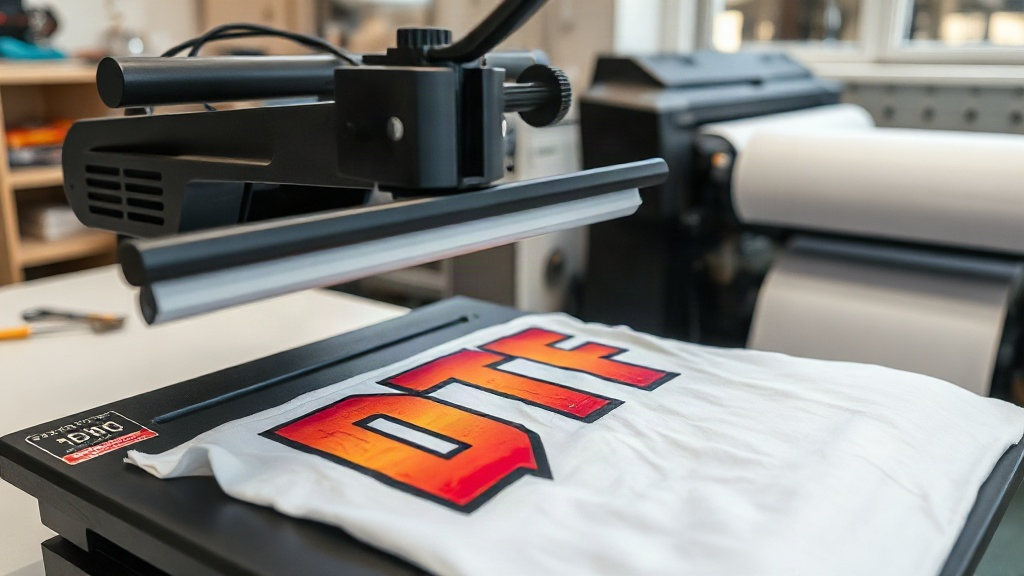
Once cured, the transfer is ready to be applied. Set your heat press to 325°F (160°C) with medium pressure. Press for 15-20 seconds, then peel the film off while it's still hot (hot peel) or after it cools (cold peel), depending on the film type.
Why Choose DTF Transfers?
There are several compelling reasons to incorporate DTF into your printing arsenal:
- Versatility: Works on virtually any fabric, including blends and synthetics.
- Durability: Prints withstand repeated washing without fading or cracking when applied correctly.
- No Color Limits: Achieve photorealistic, full-color designs without extra cost.
- Cost-Effective for Small Runs: Ideal for one-offs and small batches, no minimums required.
- Ease of Use: No weeding, no masking, minimal setup.
Common Challenges and How to Overcome Them
Even though DTF is user-friendly, beginners often face a few hurdles. Here's how to troubleshoot:
Adhesion Issues
If the transfer peels off after washing, it's likely due to insufficient pressure or incorrect temperature. Ensure your heat press is calibrated and apply firm, even pressure. Also, pre-press the garment to remove moisture and wrinkles.
Color Fading
Fading can occur if the transfer is under-cured. Make sure the powder is fully melted and the ink reaches the recommended temperature. Using a infrared thermometer can help verify.
Film Sticking
If the film sticks to the garment, you might be peeling too soon or too late. Follow the film manufacturer's instructions for hot peel vs. cold peel. Also, ensure the transfer has cooled completely before peeling if using cold peel.
Tips for Perfect DTF Transfers
Take your DTF game to the next level with these expert tips:
- Pre-treat garments: Pre-press for 5-10 seconds to remove moisture and wrinkles.
- Use a quality heat press: Consistent temperature and pressure are key. Avoid hand irons.
- Test your settings: Every fabric behaves differently. Run a test press on a scrap piece first.
- Store transfers properly: Keep unused transfers in a cool, dry place away from direct sunlight.
- Wash inside out: Advise customers to wash garments inside out in cold water and tumble dry low to prolong print life.
DTF Transfers vs. Other Printing Methods: A Quick Comparison
How does DTF stack up against DTG, screen printing, and vinyl? Here's a snapshot:
- DTF: Best for full-color, detailed designs on various fabrics; low minimums; requires a heat press.
- DTG: Best for 100% cotton; no minimums; limited on dark colors without pretreatment.
- Screen Printing: Best for large orders; vibrant on dark fabrics; setup costs per color.
- Vinyl: Best for simple, single-color designs; requires weeding; limited to certain fabrics.
Frequently Asked Questions
What fabrics can I use with DTF transfers?
DTF transfers adhere to a wide range of fabrics, including cotton, polyester, cotton-poly blends, nylon, and even leather. They work well on both light and dark colors.
How long do DTF transfers last?
With proper application and care, DTF prints can last as long as the garment itself. They resist cracking, fading, and peeling through dozens of washes.
Do I need a special printer for DTF?
Yes, DTF requires a dedicated DTF printer that uses DTF inks and film. However, you can also purchase pre-printed transfers from suppliers and apply them with a heat press.
Can I layer DTF transfers?
Yes, you can layer DTF transfers for multi-color or multi-design effects. Just apply the first transfer, then press the second on top, ensuring proper alignment.
What's the difference between hot peel and cold peel DTF film?
Hot peel film is removed immediately after pressing while still hot, while cold peel film must cool completely before peeling. Each type has its own advantages; hot peel is faster, cold peel can offer a smoother finish.
DTF transfers are a game-changer for custom apparel. With their versatility, durability, and ease of use, they're a valuable addition to any print shop or hobbyist's toolkit. By following the steps and tips outlined here, you'll be creating professional-quality prints in no time. Happy printing!