
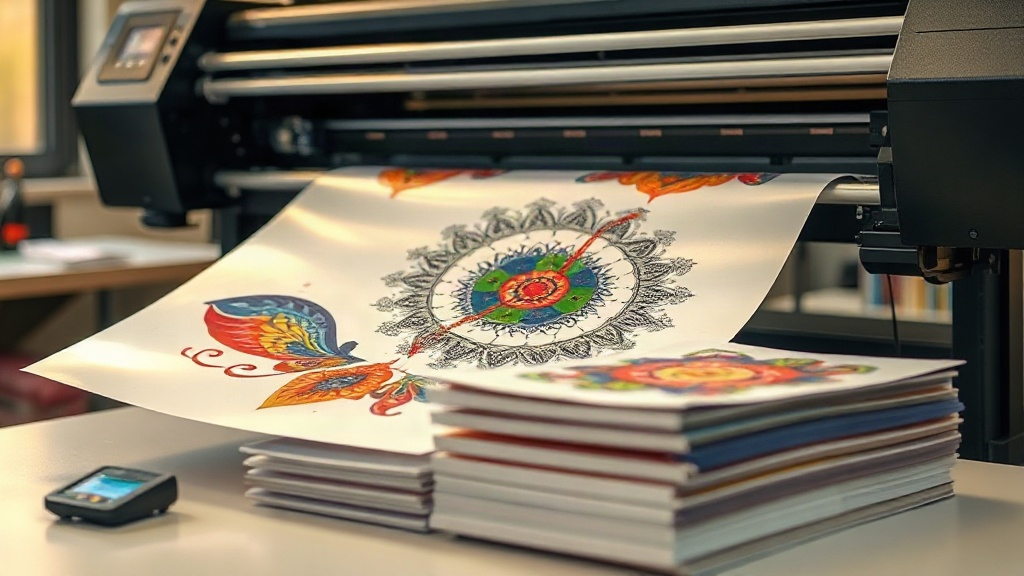
If you've been exploring custom apparel decoration, you've likely encountered DTF printing. Short for Direct-to-Film, this method has rapidly gained popularity for its versatility and vibrant results. Unlike DTG or screen printing, DTF allows you to print intricate designs onto a special film, then transfer them to a wide range of fabrics, including cotton, polyester, and blends. Whether you're a hobbyist or a small business owner, understanding DTF printing can open up new creative and commercial opportunities.
What Exactly Is DTF Printing?
DTF printing is a digital printing process where your design is printed onto a PET film using specialized pigment inks. After printing, a thermoplastic polyurethane (TPU) powder is applied to the wet ink. The powder adheres to the ink and is then cured, creating a flexible, durable layer that can be heat-pressed onto fabric. The film is peeled away, leaving the design bonded to the garment. This two-step process (print then transfer) sets DTF apart from direct-to-garment printing, which prints directly onto the fabric.
Why Choose DTF Over Other Methods?
DTF offers several advantages that make it a go-to for many decorators:
- Fabric versatility: Works on cotton, polyester, nylon, leather, and more, without the need for pre-treatment.
- No color limitations: Unlike DTG, which may struggle with white ink on dark garments, DTF produces opaque whites and vibrant colors on any background.
- Durability: When properly applied, DTF transfers withstand repeated washing without cracking or fading.
- Cost-effective for short runs: No screens or setup fees, making it ideal for small batches and personalized items.
Essential Supplies for DTF Printing
To get started with DTF, you'll need a few key supplies:
- DTF printer: A dedicated printer with white ink capability, such as those from Epson or Ricoh, modified for DTF use.
- DTF film: PET film coated for ink adhesion. Available in sheets or rolls, in cold or hot peel varieties.
- DTF ink: Pigment-based inks formulated for DTF, including CMYK and white.
- TPU powder: Adhesive powder that melts and bonds the ink to fabric. Available in fine or coarse grades.
- Heat press: For curing the powder and transferring the design.
- Software: RIP software to manage color and white ink layers.
Step-by-Step DTF Printing Process
Here's how to create a DTF transfer from start to finish:
1. Design Preparation
Create your artwork in a graphic design program. Remember to mirror the image horizontally before printing, as the film will be flipped when pressed. Ensure your design has a transparent background and that colors are in CMYK mode. For best results, use high-resolution images (300 DPI).
2. Printing
Load the DTF film into your printer. Print the design using the appropriate settings. The printer will lay down a white ink base (if needed) and then the color layers. Some printers allow you to print white ink first or last; typically, white is printed behind the colors to make them pop on dark fabrics.
3. Powder Application
While the ink is still wet, sprinkle TPU powder evenly over the printed area. Gently shake off excess powder. You can use a powder shaker machine for consistency. The powder should stick only to the ink.
4. Curing
Place the film in a heat press or oven to cure the powder. Typical curing conditions: 160°C (320°F) for 2-3 minutes. The powder will melt and become glossy. Avoid over-curing, which can cause the film to warp.
5. Transferring to Fabric
Set your heat press to 160-170°C (320-340°F) with medium pressure. Place the cured film onto the garment, powder side down. Press for 10-15 seconds. For cold peel, wait until the film cools completely before peeling; for hot peel, remove immediately. Peel the film off in a smooth, consistent motion.
Tips for Perfect DTF Transfers
- Test your powder: Different fabrics may require different powder grades. Fine powder works well for detailed designs, while coarse powder provides a stronger bond on stretchy fabrics.
- Control moisture: Store film and powder in a dry environment. Moisture can affect ink adhesion and powder performance.
- Pre-press garments: Remove wrinkles and moisture from the fabric before transferring.
- Use a cover sheet: When pressing, place a Teflon sheet or parchment paper over the transfer to protect your heat press and ensure even pressure.
- Wash inside out: To prolong the life of your DTF prints, wash garments inside out in cold water and avoid harsh detergents.
Common DTF Printing Challenges and Solutions
Even with experience, you might encounter issues. Here are some common problems and how to fix them:
Ink Cracking or Fading
This usually happens due to under-curing or insufficient pressure during transfer. Increase curing time or pressure, and ensure the powder is fully melted.
Powder Not Sticking
If powder doesn't adhere, the ink may be too dry. Work quickly after printing, or increase humidity in your workspace.
Transfer Peeling Off
Improper peeling technique or insufficient heat can cause peeling. For cold peel, ensure the film is completely cool. For hot peel, peel immediately but steadily.
DTF vs. Other Printing Methods: A Quick Comparison
- DTF vs. DTG: DTG requires pre-treatment and works best on 100% cotton. DTF works on more fabrics and doesn't need pre-treatment.
- DTF vs. Screen Printing: Screen printing is cost-effective for large orders but has setup costs. DTF is better for small batches and complex designs.
- DTF vs. Vinyl: Vinyl is limited to simple shapes and colors. DTF can reproduce full-color photographs and gradients.
Frequently Asked Questions
What fabrics can I use with DTF printing?
DTF transfers can be applied to cotton, polyester, cotton-poly blends, nylon, leather, and even some treated synthetic fabrics. It's one of the most versatile decoration methods available.
How long do DTF prints last?
With proper application and care, DTF prints can last as long as the garment itself. They resist cracking, peeling, and fading through many wash cycles.
Do I need a special printer for DTF?
Yes, you need a printer that supports white ink and is compatible with DTF inks and film. Many users convert Epson or Ricoh printers for this purpose.
Can I use DTF on dark shirts?
Absolutely. DTF excels on dark fabrics because the white ink layer provides a bright base for colors, making them stand out.
What is the difference between hot peel and cold peel DTF film?
Hot peel film allows you to remove the film immediately after pressing while it's still hot, speeding up production. Cold peel film requires the transfer to cool completely before peeling, often resulting in a smoother finish.
Mastering DTF printing takes practice, but the rewards are well worth it. With the right supplies and techniques, you can produce high-quality, durable transfers that impress customers and elevate your brand. Start experimenting today and unlock the full potential of DTF printing.